
How to Calculate Your Canning Production Capacity
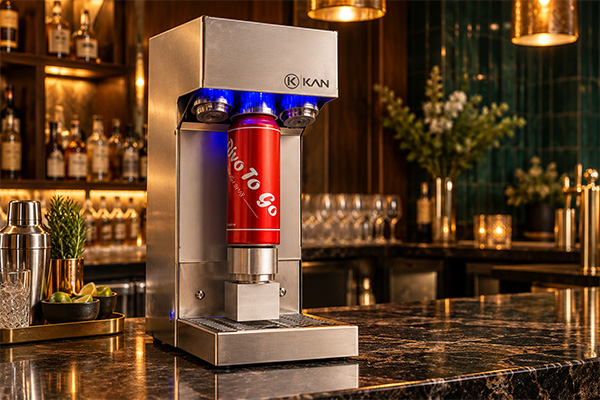
To calculate beverage canning production capacity, find the sustainable hourly throughput of each production stage and identify the bottleneck—the stage that limits the rest of the line. Multiply the bottleneck rate by the production time available after setup, cleaning, and other planned interruptions. Then account for rejected cans to estimate saleable output.
For example, if the slowest stage sustains 120 cans per hour and you have 5.5 production hours in an eight-hour shift, you can process approximately 660 cans before rejected units are deducted. The 120-can rate in this example is illustrative, not a guaranteed machine specification.
Calculating capacity before investing in canning equipment helps beverage producers set realistic production targets, estimate labor requirements, plan packaging orders, and decide when process improvements or additional equipment may be necessary.
What Does Canning Production Capacity Mean?
Canning production capacity is the number of cans an operation can fill, seal, inspect, and prepare for the next packaging stage within a specified period. For production planning, distinguish between a machine’s nominal speed and the number of acceptable cans your whole workflow can produce.
| Measurement | What it tells you |
| Machine speed | How many cans one machine can process per minute or hour under specified conditions. |
| Line throughput | How many cans the complete workflow can process per hour, taking the slowest stage into account. |
| Effective shift output | How many acceptable cans you produce during a scheduled shift after planned downtime, interruptions, and rejects. |
These measurements are related, but they are not interchangeable. A seamer may process cans faster than the filler can supply them. Filling and seaming may work smoothly, while manual transfer, inspection, labeling, or packing limits finished output.
For planning labor, packaging purchases, and delivery dates, effective shift output is often the most useful measure because it reflects the whole operation rather than one machine’s advertised maximum speed.
How Do You Calculate Cans per Hour?
Start by measuring how many cans a production stage processes over a known period.
Hourly rate = Cans processed ÷ Operating time in hours
If you measure time in minutes, use:
Cans per hour = (Cans processed ÷ Minutes) × 60
For example, if a filling stage processes 100 cans in 50 minutes:
100 ÷ 50 × 60 = 120 cans per hour.
This is the observed rate for that measurement period. It does not automatically include setup, cleaning, breaks, or other interruptions that happened outside the timed period.
Measure each stage in the workflow
For a canning operation, record the throughput of the stages that apply to your setup:
- Filling: How quickly can you fill cans consistently?
- Lid placement and transfer: How quickly can operators place lids and move filled cans to the seamer?
- Seaming: How quickly can the seamer close cans under normal operating conditions?
- Inspection and handling: How many cans can you inspect, label, code, and pack during the same period?
Use representative measurements, ideally across multiple batches. A short run at peak speed may not reflect the output you can sustain for an entire shift.
What Is a Bottleneck in Canning?
A bottleneck is the stage that restricts the output of the whole workflow. The line cannot consistently produce more than the bottleneck allows unless that constraint changes.
Consider this illustrative setup:
| Production stage | Example capacity |
| Filling | 125 cans/hour |
| Seaming | 600 cans/hour |
| Labeling and handling | 200 cans/hour |
In this example, filling is the bottleneck. Although the seamer can process up to 600 cans per hour under the assumed conditions, it cannot increase total line throughput when the filler supplies only 125 cans per hour.
The line’s estimated maximum throughput is therefore 125 cans per hour before additional losses. Actual output may be lower if transfers, adjustments, interruptions, or quality checks reduce the pace.
How Do FENIX and iKAN Affect Canning Production Capacity?
Eazy Canning offers equipment for two central stages of a compact canning workflow: the FENIX beverage can filling head and the iKAN can seamer. They perform different jobs, so their published maximum speeds should not be treated as the output of a complete canning line.
FENIX: Beverage can filling
FENIX is a manual filling head designed for counter-pressure filling, particularly for carbonated beverages. Eazy Canning’s published specifications list operating pressure up to 4 bar, compatibility with standard 202-diameter cans, and custom options on request. The product page lists a capacity of 100–150 cans per hour for a dual-head configuration.
Treat that published hourly figure as an initial reference, not a guaranteed shift output. Actual throughput depends on the setup, beverage, can format, operator workflow, and production conditions. Confirm the expected sustained rate for the exact configuration before using it to plan orders or labor, then validate it in a timed production run.
iKAN: Can seaming
The iKAN tabletop can seamer is designed to close filled cans by forming a double seam between the can body and its lid. Eazy Canning lists a nominal maximum capacity of up to 10 cans per minute, equivalent to 600 cans per hour if that rate is sustained continuously.
That figure is the seamer’s published machine capacity, not the output of a complete canning line. It does not account for the time required to load cans and lids, transfer cans, inspect seams, replenish supplies, or manage interruptions.
If filling supplies only 100–150 cans per hour, filling is likely to limit output under those conditions. However, transfer speed, lid placement, inspection, or another stage may introduce additional constraints.
The practical lesson: Choose and plan equipment based on the sustainable throughput of the whole workflow—not by comparing the maximum speeds of individual machines in isolation.
How Do You Calculate Production Capacity for an Entire Shift?
An eight-hour shift does not necessarily provide eight hours of active production. Setup, cleaning, breaks, quality checks, replenishment, changeovers, and troubleshooting all reduce the time available for production.
First calculate the production window:
Available production time = Scheduled shift time − Planned non-production time
Then estimate processed cans:
Estimated processed cans = Bottleneck throughput per hour × Available production hours
Use a rate measured during active production for this calculation. If the rate already includes downtime across the scheduled shift, do not subtract the same downtime a second time.
Example: An eight-hour canning shift
Imagine a small beverage producer has an eight-hour shift and plans for the following activities. These durations are illustrative; measure your own operation to create a reliable schedule.
| Activity | Time |
| Setup and pre-run checks | 45 minutes |
| Breaks | 30 minutes |
| Quality checks, replenishment, and adjustments | 30 minutes |
| End-of-shift cleaning | 45 minutes |
| Total non-production time | 150 minutes (2.5 hours) |
The scheduled shift contains 480 minutes. After subtracting 150 minutes, the available production window is 330 minutes, or 5.5 hours.
The table below uses example hourly rates to show how the calculation works. The rates are planning assumptions, not verified production results for a particular machine.
| Planning scenario | Hourly throughput | Available production time | Estimated processed cans |
| Lower-rate scenario | 100 cans/hour | 5.5 hours | 550 |
| Midpoint scenario | 125 cans/hour | 5.5 hours | Approximately 688 |
| Upper-rate scenario | 150 cans/hour | 5.5 hours | 825 |
These estimates represent processed cans before any additional interruptions or rejects not already reflected in the hourly rate. The upper figure is not a guaranteed daily output.
How Do You Calculate Saleable Output?
Not every can processed during production will necessarily be acceptable for sale. To estimate saleable output, subtract rejected or otherwise unusable units from the total processed.
Saleable cans = Total cans processed − Rejected cans
For example, if a run processes 650 cans and 8 are rejected during quality checks, the saleable output is 642 cans.
If you forecast using a rejection rate instead of a known reject count, use:
Estimated saleable cans = Processed cans × (1 − Rejection rate)
Use actual production records to estimate your typical rejection rate. Do not assume every batch will have the same result.
How Should Cleaning, Setup, and Quality Checks Affect Your Estimate?
Include these activities in your production plan instead of treating them as unexpected losses.
Setup and preparation
Setup may include preparing cans and lids, checking equipment, connecting the filling system, verifying settings, and preparing the beverage for filling. The time required depends on the equipment, product, operator experience, and how much preparation can be completed before the shift begins.
Cleaning and changeovers
Cleaning time varies according to the beverage, equipment, cleaning method, and whether you are switching between products. FENIX is listed as compatible with Clean-In-Place (CIP) systems, but CIP compatibility does not mean cleaning takes no time or that one system necessarily covers every part of the operation.
Follow the cleaning procedure appropriate for your equipment and product, and include the actual time required in your schedule.
Quality checks
Quality control is part of production, not an optional activity to perform only when something goes wrong. Depending on the product and process, checks may include fill levels, can appearance, closure integrity, leakage, and other product-specific quality measures.
A properly formed double seam is important, but sealing a can does not by itself validate a beverage’s shelf life or make every product safe for ambient storage. Follow the processing, packaging, and product-safety requirements that apply to your beverage.
Minor stops and adjustments
Small interruptions can accumulate throughout a shift. These may include replenishing supplies, adjusting equipment, troubleshooting, or waiting for the next stage. Record these interruptions during trial runs so your forecast reflects normal operating conditions.
How Can You Measure Your Actual Canning Capacity?
Published equipment specifications are a useful starting point. A timed test using your own beverage, can format, operators, and workflow is more useful for production planning.
- Define the production target. Decide how many acceptable cans you need to produce and by when. A target of 500 cans per shift requires a different schedule from 2,000 cans across several production sessions.
- Record the equipment configuration. Document the filling setup, number of filling heads, seamer, can size, beverage type, and operating conditions.
- Run a representative batch. Measure the time required to fill and seam a known number of cans. Avoid basing your forecast only on a short period when the equipment is running at its fastest.
- Track interruptions and rejected units. Record setup, cleaning, adjustments, replenishment, quality checks, and rejected cans separately.
- Repeat the measurement. Run several representative batches and compare results. Use a rate that reflects normal conditions rather than the fastest run.
- Calculate the shift estimate. Apply the measured active-production rate to the time available after planned interruptions, then account for rejects if they are not already included in the measured rate.
Two useful measurements are:
Active-production rate = Acceptable cans produced ÷ Active production hours
Effective shift rate = Acceptable cans produced ÷ Total scheduled shift hours
For example, if an eight-hour shift produces 520 acceptable cans, the effective shift rate is 65 saleable cans per scheduled hour. This is useful for forecasting a future full shift because it includes the effect of non-production time within the scheduled shift.
Canning capacity planning worksheet
Use this worksheet to estimate a shift before scheduling a production run. Fill in the values from your own measurements and operating plan.
| Planning input | Your value |
| Scheduled shift duration | ___ hours |
| Planned non-production time | ___ hours |
| Available production time | Scheduled hours − non-production hours = ___ hours |
| Filler throughput | ___ cans/hour |
| Seamer throughput | ___ cans/hour |
| Inspection, labeling, or packing throughput (if applicable) | ___ cans/hour |
| Estimated bottleneck rate | Lowest sustainable stage rate = ___ cans/hour |
| Estimated processed cans | Bottleneck rate × available hours = ___ cans |
| Expected rejection rate (if known) | ___% |
| Estimated saleable cans | Processed cans × (1 − rejection rate) = ___ cans |
Use stage rates measured under comparable conditions. The lowest published machine speed is not always the actual bottleneck; handling, interruptions, and product requirements can also constrain output. Avoid subtracting any loss twice if it is already included in your effective rate.
How Do You Know When You Need More Canning Capacity?
Compare your measured output with demand, delivery deadlines, and the production hours available. You may need to improve the workflow or add capacity when:
- You regularly miss production targets despite using available shift time efficiently.
- The bottleneck cannot meet demand at a sustainable operating pace.
- Cleaning or product changeovers consume a significant part of the production window.
- Manual handling creates queues between filling and seaming.
- You need more flexibility or longer operating windows to complete orders.
Before buying faster equipment, identify the actual constraint and calculate the additional capacity you need. A faster seamer will not solve a filling bottleneck; a faster filler may simply create a queue at seaming, inspection, or packing.
For small and growing beverage producers, improving the current workflow may be more practical than upgrading every stage at once.
Frequently Asked Questions
How do you calculate canning production capacity?
Identify the sustainable hourly throughput of each relevant production stage and use the slowest stage as the bottleneck. Multiply that rate by the production hours available after planned downtime. Then subtract rejected cans, or apply a measured rejection rate, to estimate saleable output.
How many cans can a small canning line produce per hour?
It depends on the filling method, seamer, can format, operator workflow, beverage, and interruptions. Estimate output using the slowest stage’s sustainable rate, then validate the result with a timed run on your own setup. The published maximum speed of an individual machine is not a guarantee of complete-line throughput.
How do you calculate cans per shift after downtime?
Subtract planned non-production time from scheduled shift hours. Multiply the remaining production hours by the measured throughput of the bottleneck stage. For example, 5.5 available hours at an illustrative rate of 120 cans per hour gives 660 processed cans before any additional rejects are deducted.
How do you identify the bottleneck in a canning line?
Measure the sustainable throughput of filling, seaming, and other relevant stages under normal conditions. The stage with the lowest throughput is the initial bottleneck to investigate. Also observe queues, waiting time, and manual handling because these can constrain the whole workflow.
How do you calculate saleable cans after rejected units?
Subtract the rejected cans from the total processed. For example, 650 processed cans minus 8 rejected cans equals 642 saleable cans. If using a rejection rate, multiply processed cans by one minus that rate.
How much production time should you allow for cleaning?
There is no universal allowance. Cleaning time depends on the beverage, equipment, cleaning method, and whether you are switching products. Measure the time needed for your actual cleaning procedure and include it in the shift schedule.
Is the iKAN’s maximum speed the same as daily production capacity?
No. Eazy Canning lists iKAN’s nominal maximum at up to 10 cans per minute. Daily output also depends on how quickly cans reach the seamer, manual loading, inspection, replenishment, interruptions, and available shift time.
When should a beverage producer upgrade canning equipment?
Consider upgrading when measured, sustainable output no longer meets demand and process improvements are insufficient. Identify the limiting stage and quantify the capacity gap before deciding which equipment needs to change.
Final Takeaway
Calculating canning production capacity requires more than multiplying a machine’s maximum speed by the number of hours in a shift. Identify the bottleneck, account for setup and cleaning, measure actual throughput, and distinguish processed cans from acceptable finished units.
Eazy Canning’s FENIX filling system and iKAN can seamer cover two central stages of a compact canning workflow. Their published specifications can help establish an initial estimate, but a representative production run is the best way to understand the capacity of your own setup.
Build your production plan around measured performance, realistic operating time, and actual demand. This gives you a more reliable basis for planning batches, meeting orders, and deciding when to scale.
Need help estimating your canning capacity? Explore the FENIX filling system and iKAN can seamer, or contact Eazy Canning to discuss your production requirements.
